Technology is changing the world every single day. From mobile apps to e-commerce websites, from gaming platforms to productivity tools — software is literally everywhere around us. Many students want to learn coding but feel overwhelmed at the start. They wonder: "Where do I begin? Is programming too difficult? Do I need to be a genius?"
The simple, honest answer is no. Coding is not just for experts or computer science graduates. It is a skill that any motivated student can learn with practice and patience — just like learning cricket, drawing, or playing guitar. And today, powerful new platforms make that journey even easier.
One such platform changing the game for students and beginners is GenCodex AI — a modern, AI-powered low-code web app builder that lets you create real, working applications in minutes. Let's explore exactly how it works and why every student interested in technology should know about it.
What Is GenCodex AI?
GenCodex is a recently launched, AI-powered low-code platform designed to help students, startups, businesses, and developers build full-stack web applications without writing everything from scratch. It combines a smart AI Assistant with a visual UI Builder, automated backend setup, and CRUD generation — all inside one platform.
Low-code means you use visual tools, guided prompts, and automation instead of manually typing every line of code. You still understand what is happening, but the boring, repetitive work is handled automatically. This frees you up to focus on logic, design, and learning.
Build Real Web Apps in Minutes with GenCodex AI
GenCodex follows a clear, beginner-friendly workflow. Here is a breakdown of every stage, from zero to a working application:
Step 1: Project Initialisation
Log In with Your Registered Credentials
Open GenCodex AI and sign in using your registered email and password. This gives you secure access to your personal development workspace.
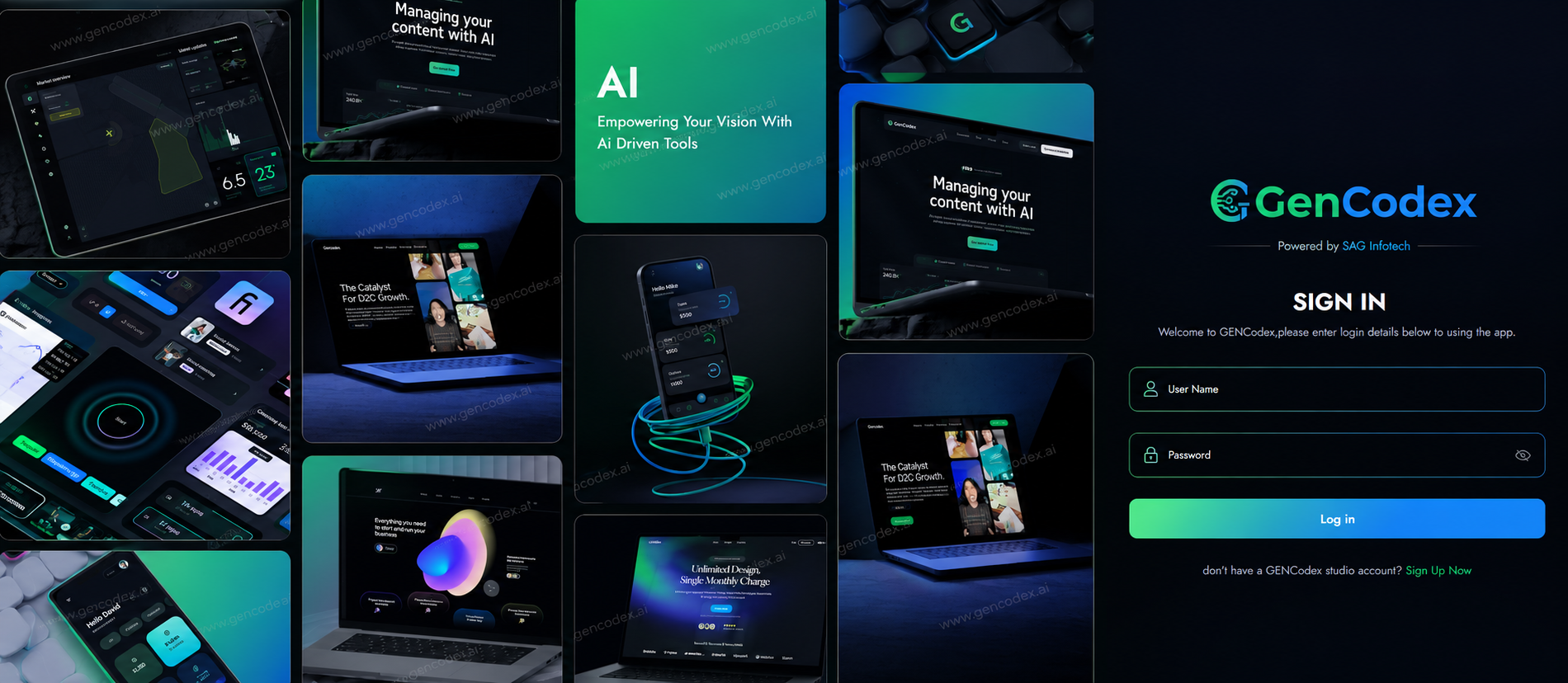
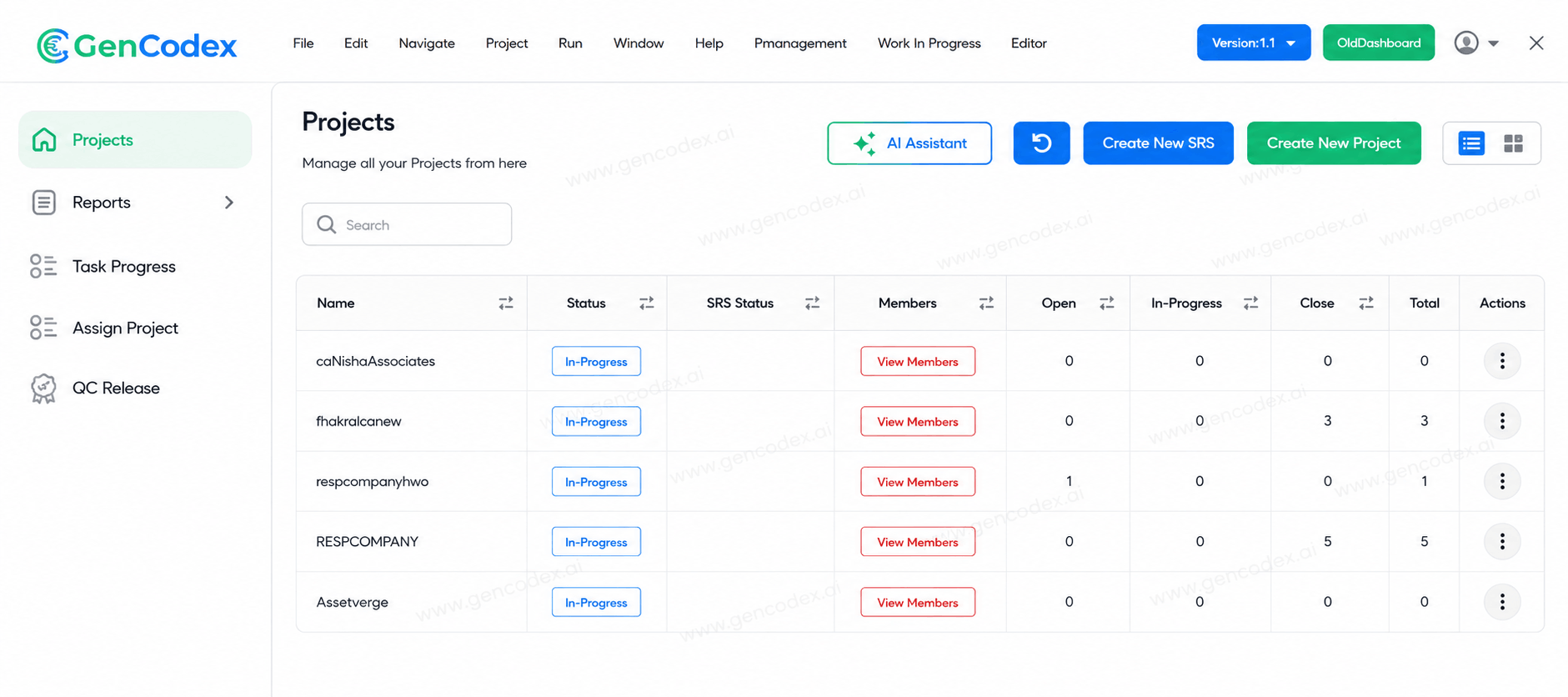
View Your Dashboard
Once logged in, you can see your complete dashboard — including all project names, configurations, and environment statuses at a glance.
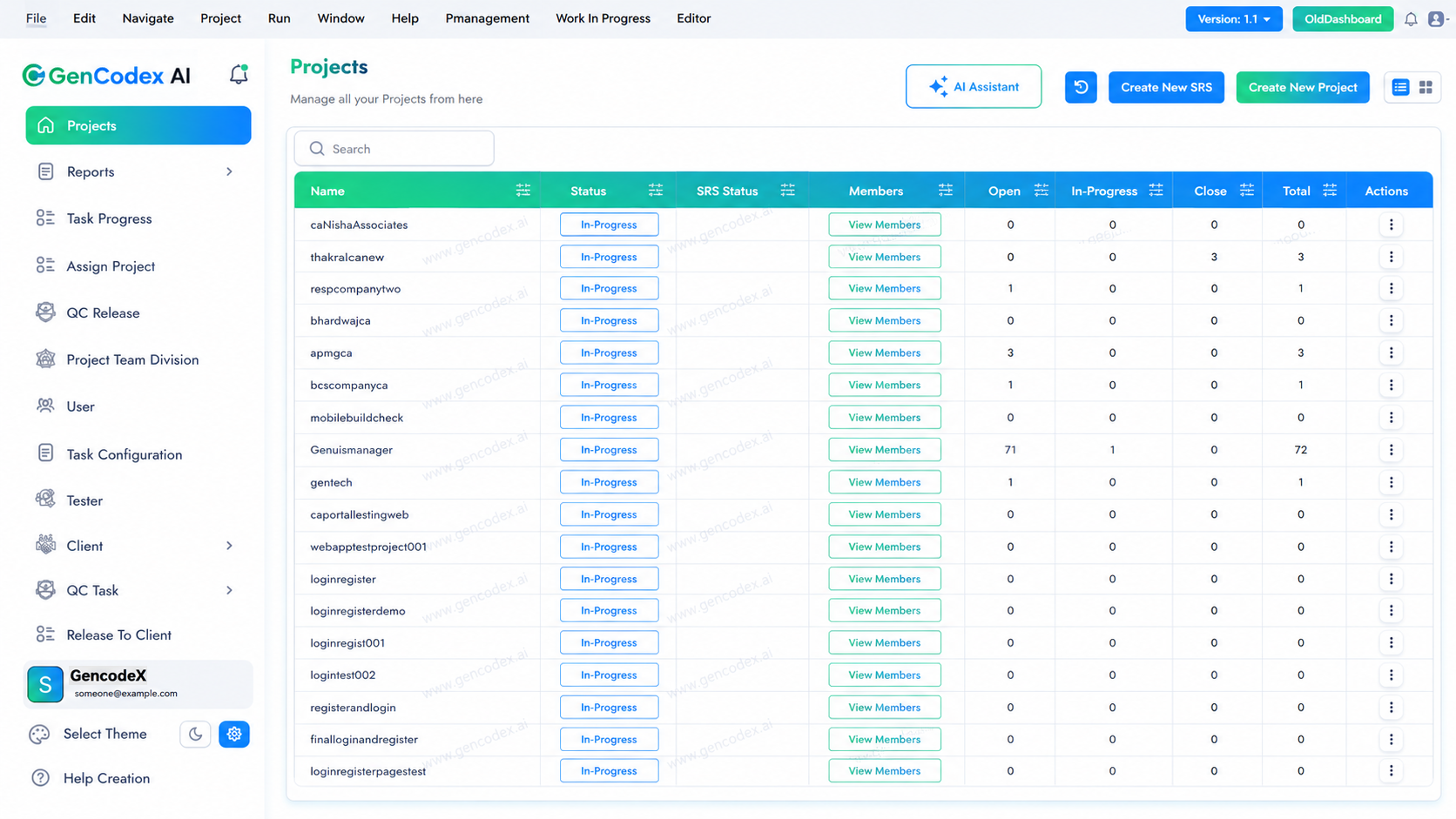
Open the AI Assistant
Click the AI Assistant button located in the top-right corner of the dashboard. This is the primary automation engine that drives your entire project creation workflow.
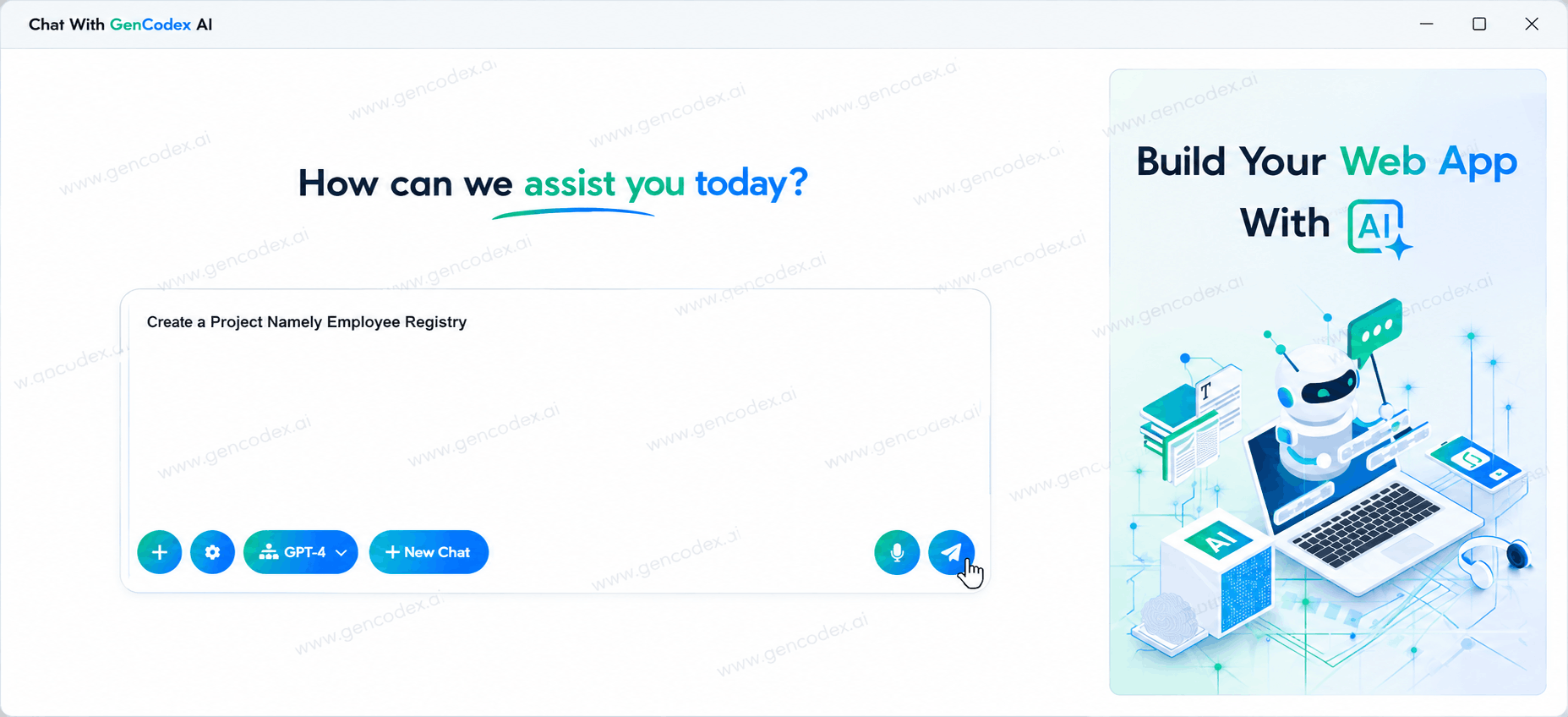
Enter Your Project Prompt
In the text area, simply type a natural language description of the project you want to create. The AI interprets your prompt and immediately initiates the setup process.
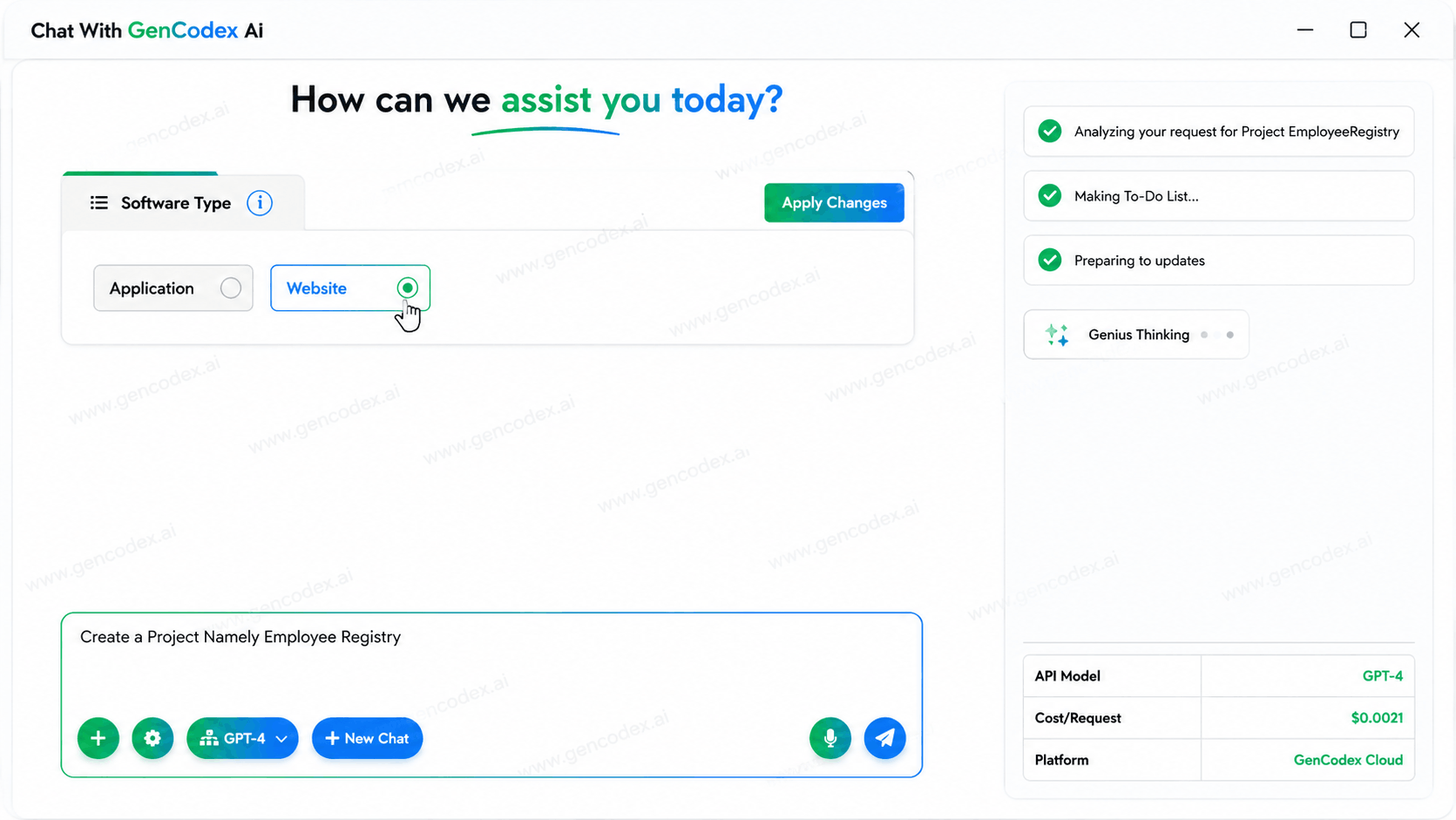
Select Software Type
A list of project configurations appears on screen. The first option is Software Type. Choose whether your project is an Application or a Website, then click Apply Changes.
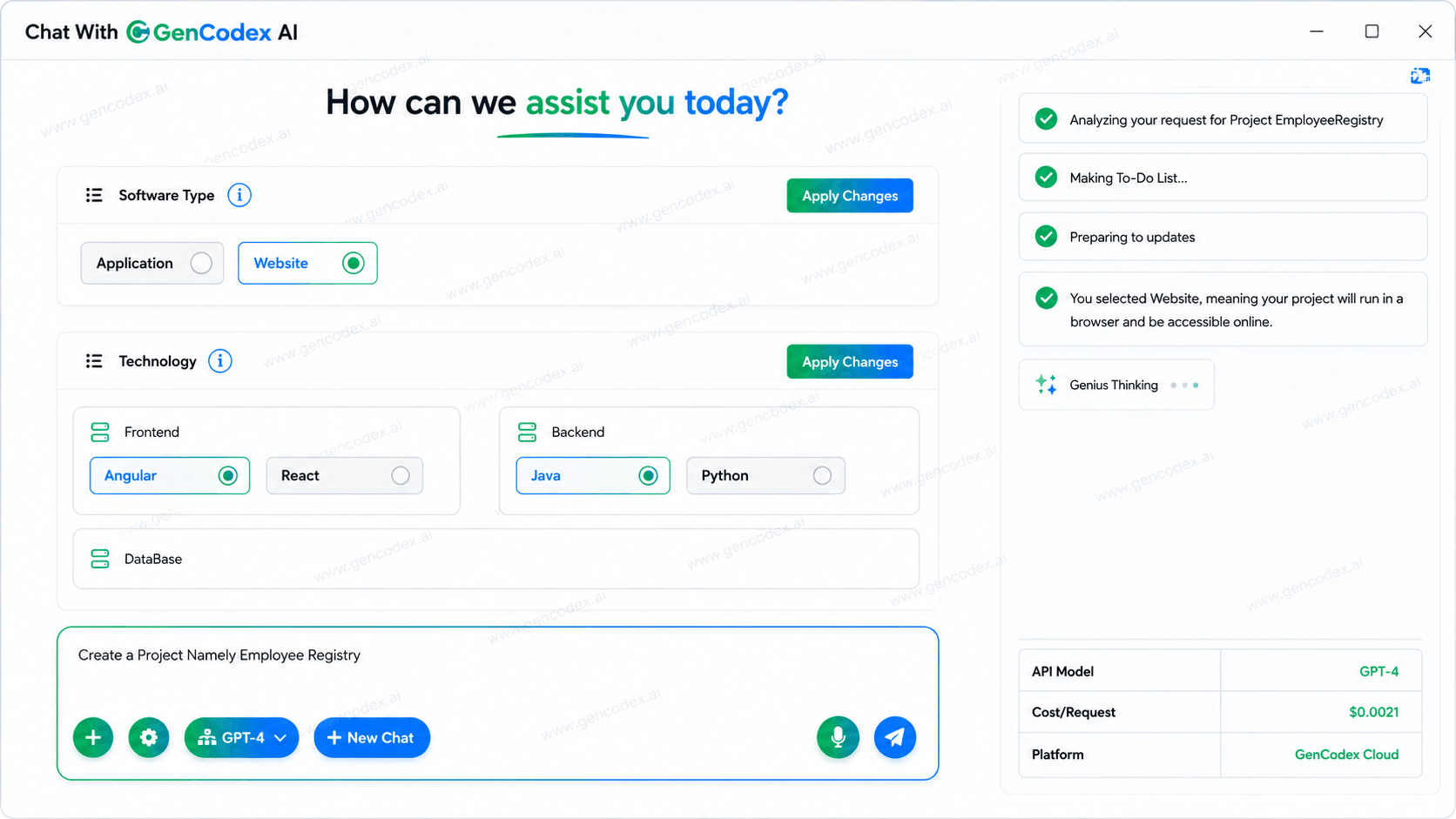
Choose Your Technology Stack
Select your preferred frontend and backend technologies. GenCodex supports the most in-demand industry stacks. Click Apply Changes once selected.
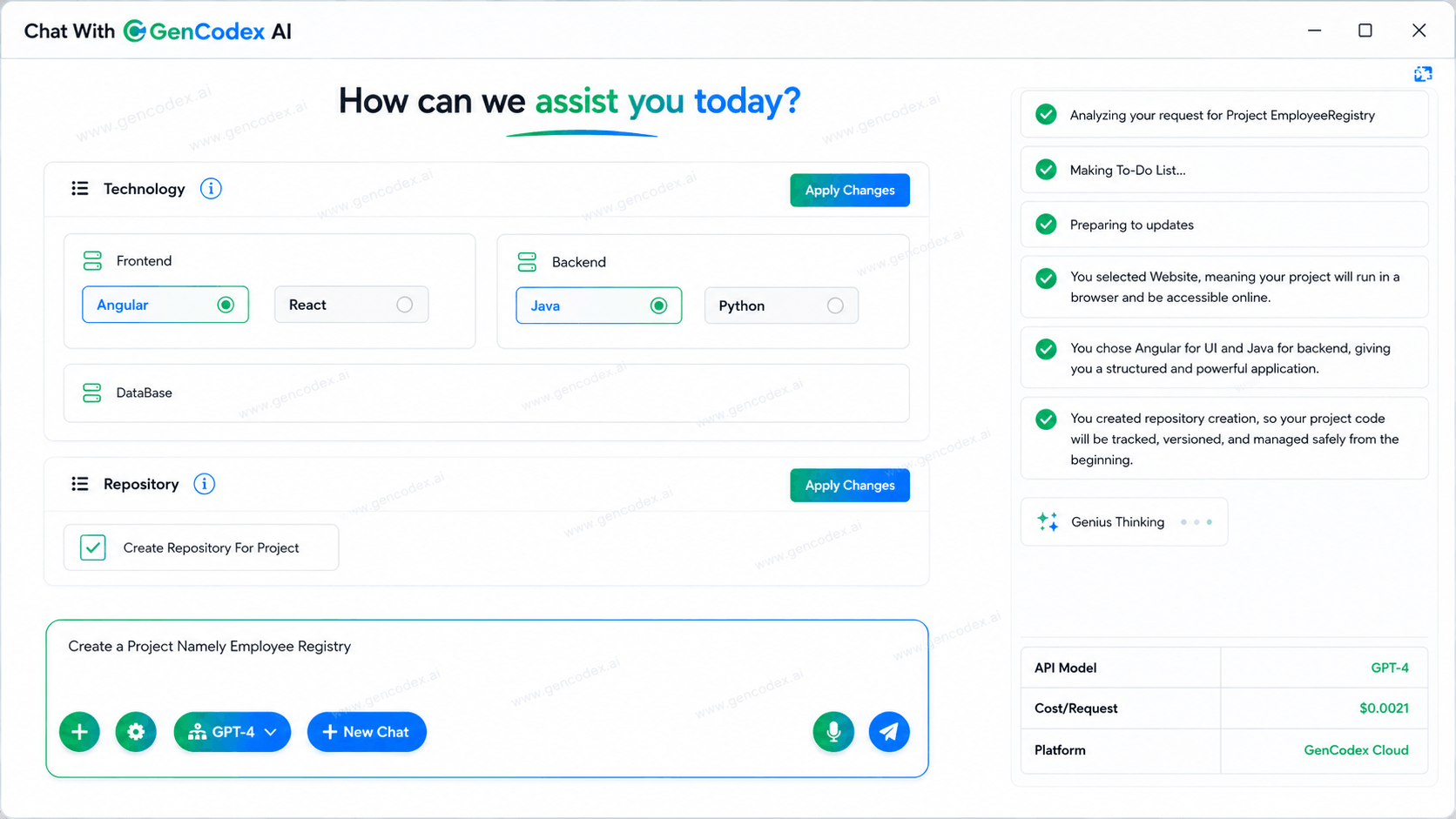
GitHub Repository — Auto-Created
The platform automatically creates a GitHub repository for your project and connects it. You do not need to manually initialize or configure Git — version control is set up instantly.
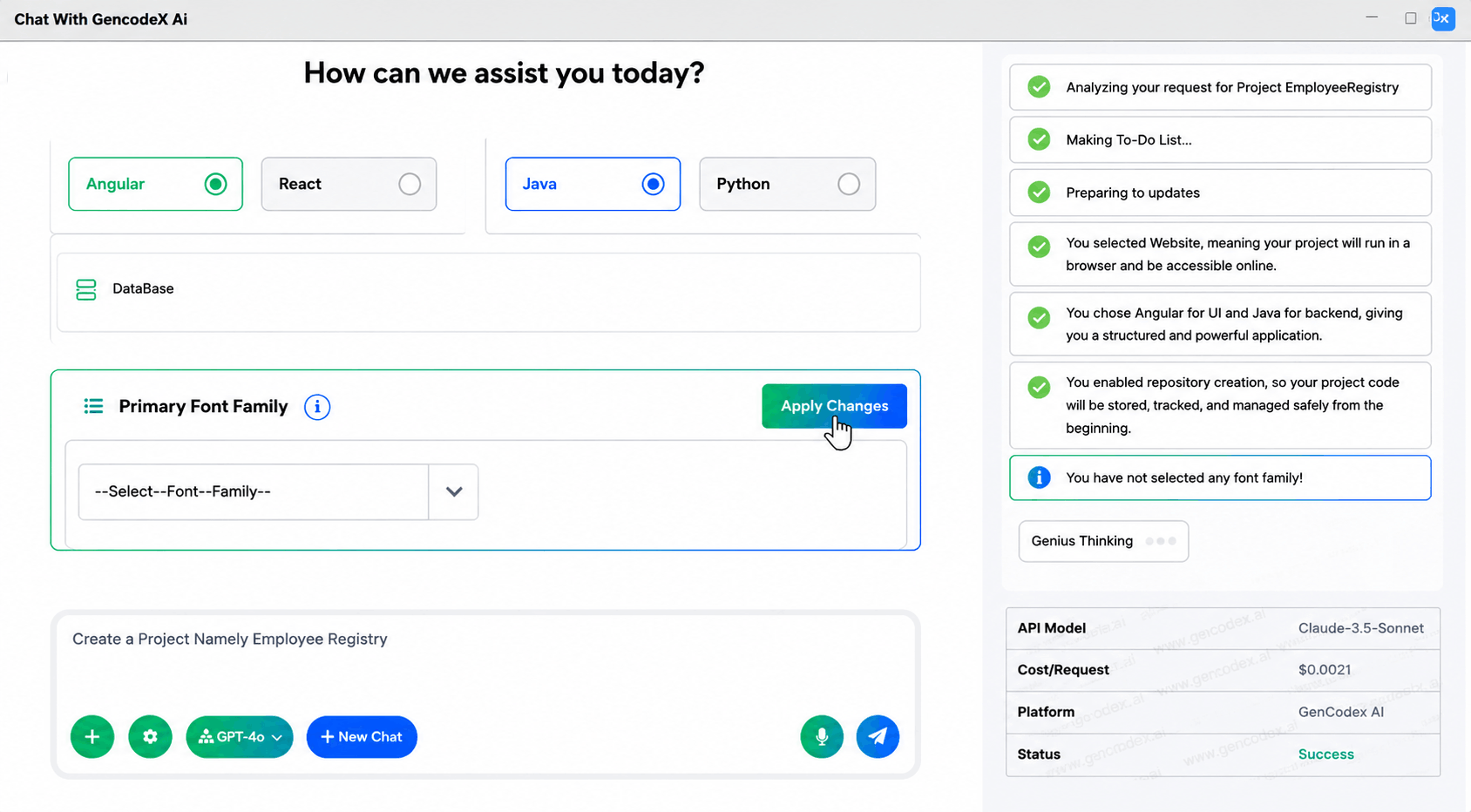
Select Default Font Family
Choose a font family for your project from the dropdown menu. This font will be applied consistently across all generated pages and components in your application.
Choose Primary Theme
Select your project's primary UI theme — either Default Light or Default Dark. This sets the base visual style applied throughout the entire application.
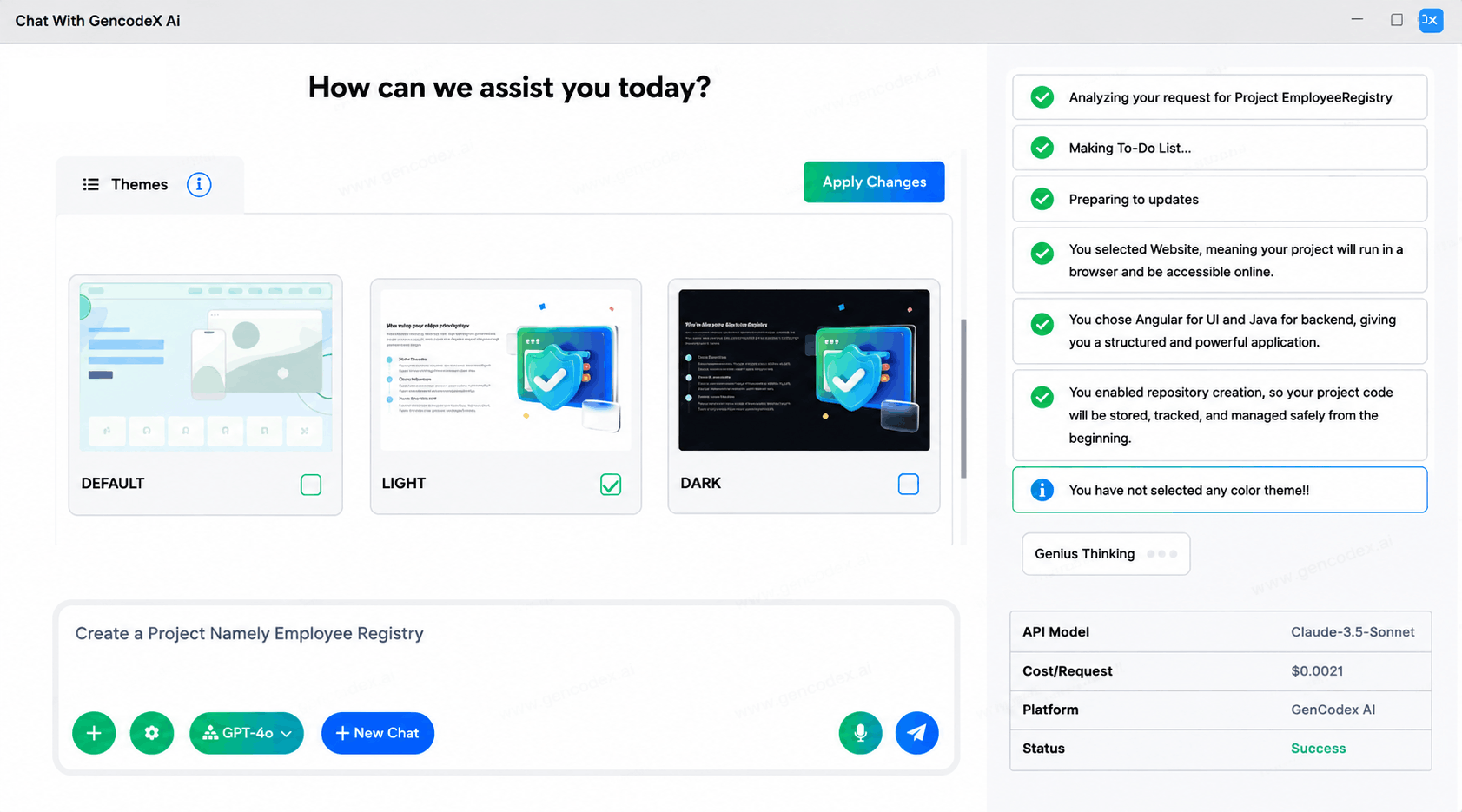
Auto-Generate SRS Documentation
GenCodex AI automatically generates a Software Requirements Specification (SRS) document for your project. This is optimized for SEO and serves as your official project blueprint and documentation reference.
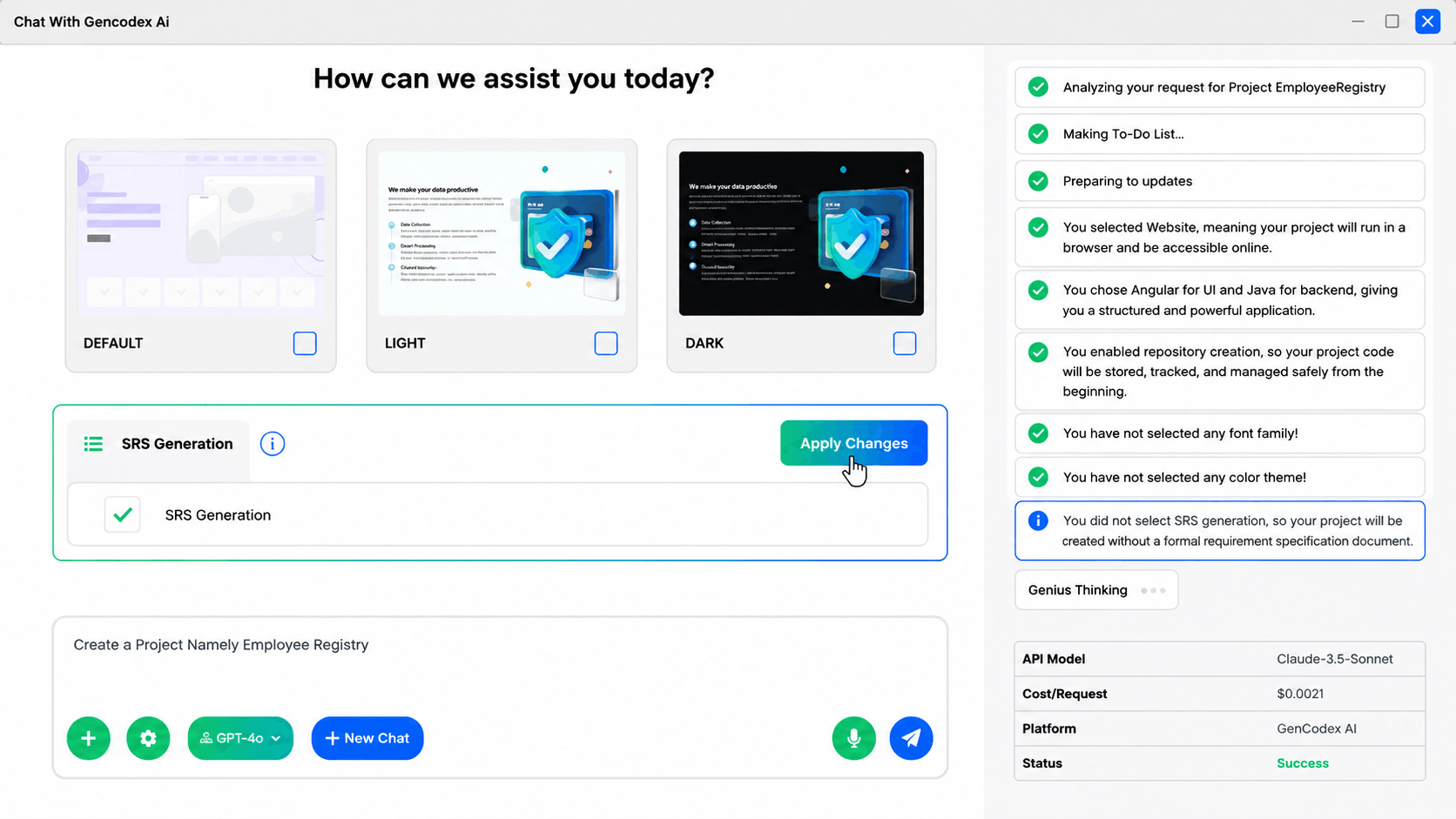
Finalize & Execute Project Setup
On the last configuration step, click Apply Changes. GenCodex AI automatically executes the entire project setup — no manual commands needed. After setup, you can add menus: choose from predefined menus, or type a custom menu name and click Add. Finally, choose to generate predefined templates or create blank components and pages.
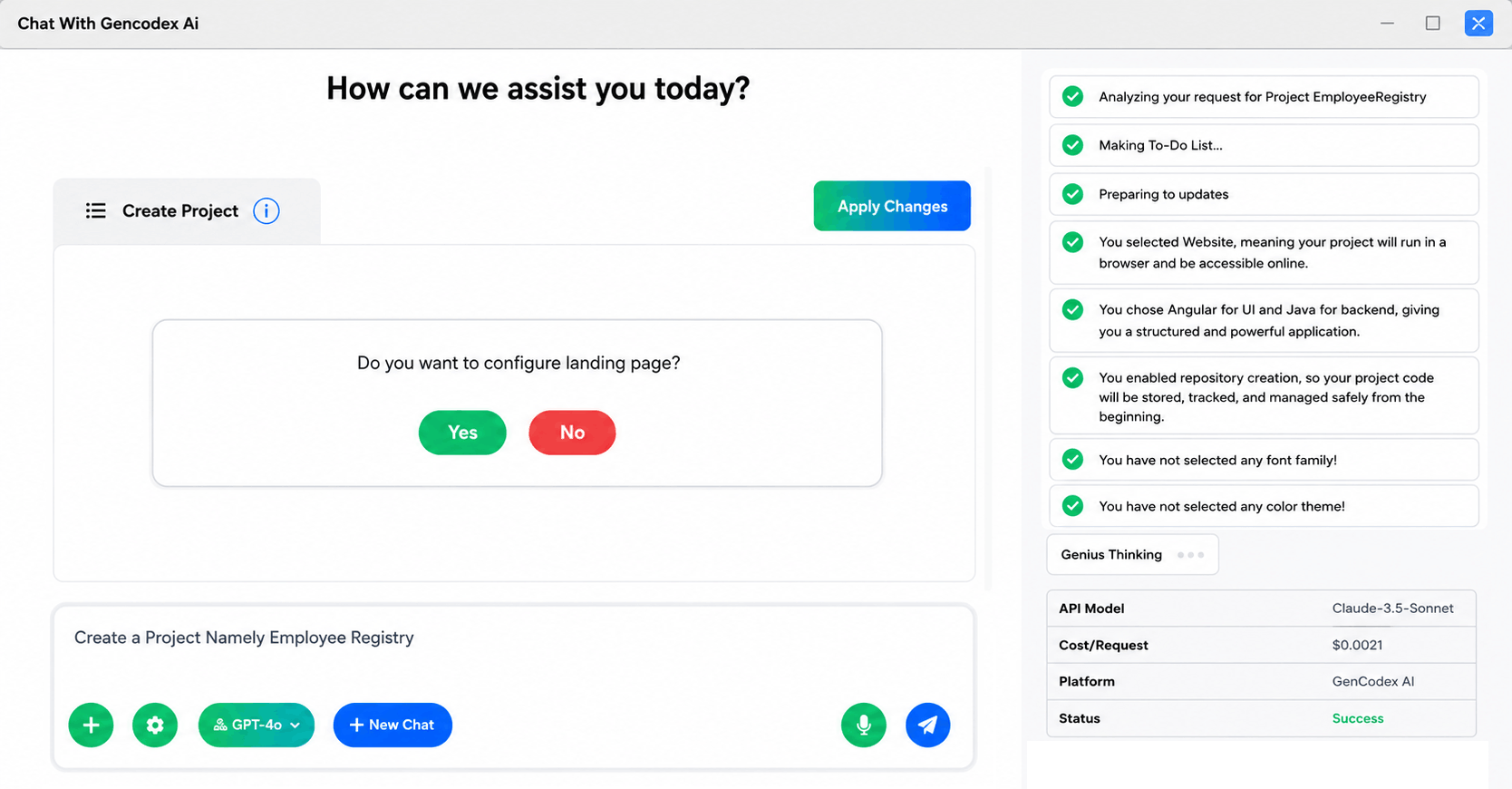
Project Successfully Created — All Systems Running
Your project is now fully set up. GenCodex automatically executes all the essential setup commands behind the scenes:
# All commands run automatically — no manual input needed
npm install          ← installs all node modules
ng serve --port 4200   ← Angular dev server launched
build --platform mobile← mobile build prepared
generate --templates all← page templates created
serve --port auto      ← each module on its own port
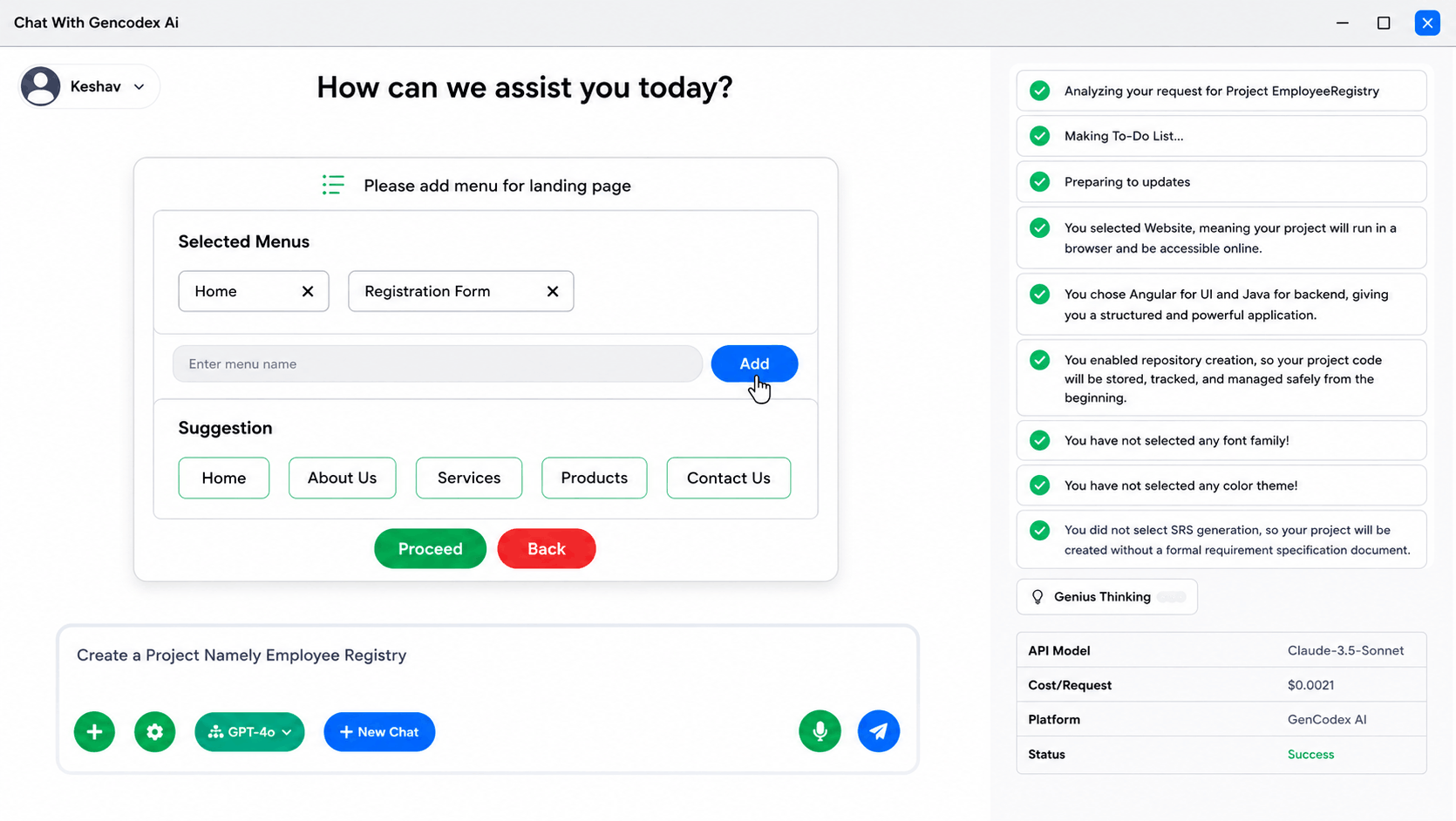
Add Menus & Templates
Now you can add application menus using predefined menus or custom menus. Simply enter the menu name and click the Add button. You can also:
🗂️ What You Can Create
- Generate predefined templates for common application screens.
- Create blank pages for complete custom design freedom.
- Build custom UI components tailored to your specific requirements.
This makes application structure creation extremely fast and organized.
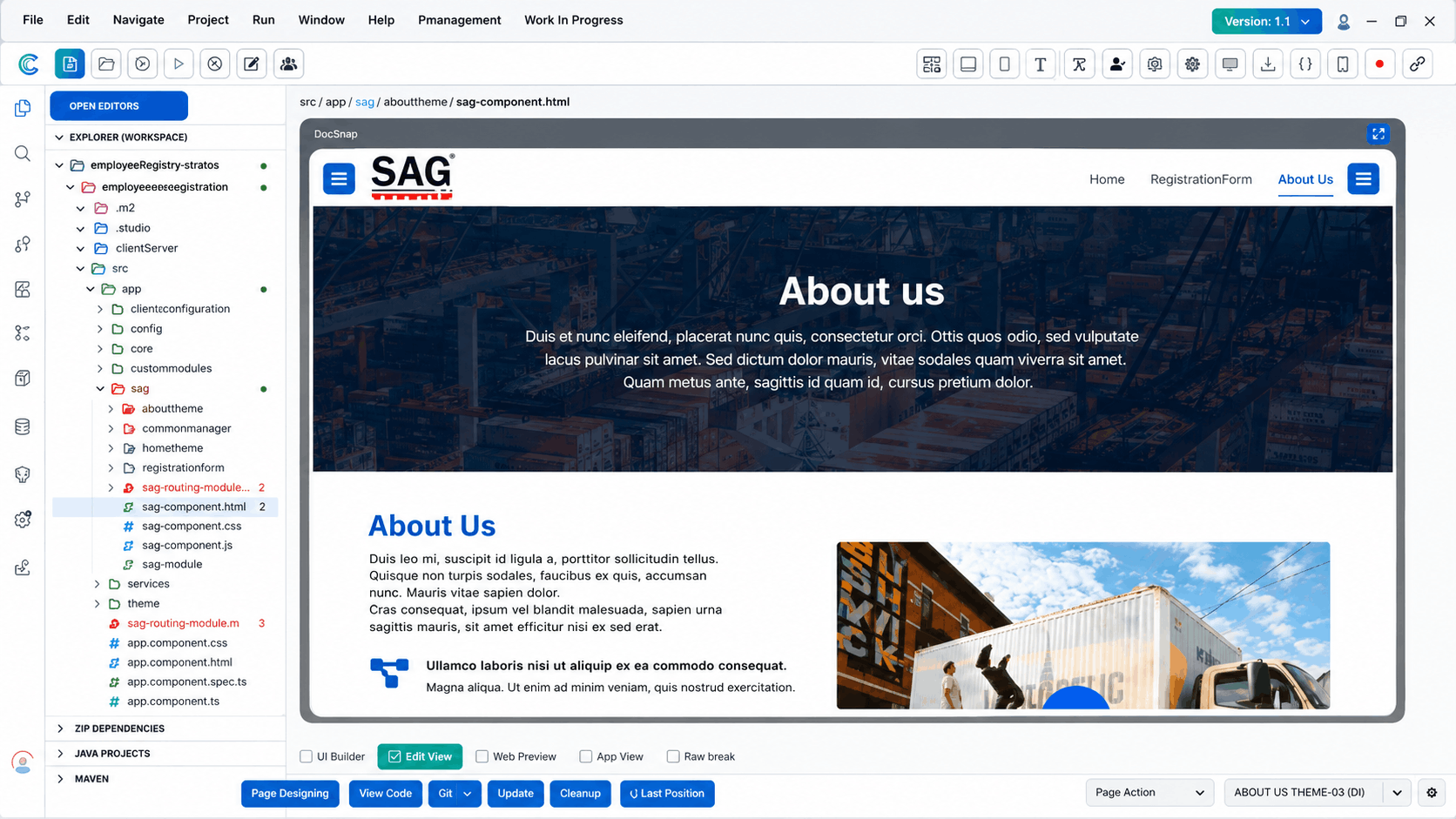
Step 13: Preview Website & Mobile Builds
After setup, you can immediately view the complete website build and mobile UI build directly on your screen. Browse through all generated pages to confirm that the project structure is correctly established before moving on.
💡 Tip: Check every page and component now. Make sure navigation, layouts, and routing are working correctly before you begin building CRUD logic.
📊 Advantages of GenCodex
| Feature | GenCodex Edge |
|---|---|
| Speed | 3× faster development with automation |
| Cost | Up to 80% savings compared to traditional coding |
| Learning Curve | Launch in under a month — ideal for students |
| Flexibility | Multiple languages & databases supported |
| Scalability | Small to enterprise — works at any scale |
👥 Benefits for Different Audiences
For Developers
GenCodex offers a low-code API builder, auto-documentation, and support for multiple programming languages including Java, C#, Python, Angular, React, and Vue.js. This means developers can integrate GenCodex into their existing workflows without abandoning their preferred tools.
For Businesses
Companies can use GenCodex to build tailored digital solutions quickly. The drag-and-drop interface allows non-technical staff to participate in app creation, while developers can fine-tune the backend. The result is faster delivery, reduced costs, and apps that align closely with business needs.
For Students
Learning app development can be daunting, but GenCodex simplifies the process. Students can build functional apps in less than a month, gaining exposure to industry-standard frameworks and practices. This hands-on experience prepares them for real-world projects.
For Citizen Developers
Not everyone who needs an app is a professional coder. GenCodex empowers individuals with no coding background to create apps using its AI-powered LCNC tools. This democratization of development opens doors for entrepreneurs, hobbyists, and community leaders to bring their ideas to life.
Real Learning, Real Results
Traditional coding education often spends weeks on setup and theory before students write a single meaningful line of code. GenCodex flips this completely. Here's why it is perfect for students:
Learn by Building
You understand real concepts like REST APIs, databases, and frontend/backend architecture by actually seeing them work — not just reading about them.
Portfolio-Ready Projects
Build complete projects to show on your resume or GitHub. Recruiters love seeing working apps, not just certificates.
No Setup Frustration
Students often quit early because setting up environments is confusing. GenCodex handles this automatically so you start coding immediately.
Auto SRS Document
The automated Software Requirements Specification teaches you professional documentation practices used by real software companies worldwide.
Modern Tech Stacks
React, Angular, Java, Python — these are the most in-demand skills in the job market today. GenCodex uses industry-standard technologies.
GitHub Integration
Every project is automatically connected to a GitHub repository, teaching version control — a skill every developer must have.